Näytetään tekstit, joissa on tunniste gaming. Näytä kaikki tekstit

lauantai 16. tammikuuta 2016

Hexcells, Hexcells Plus & Hexcells Infinite

Level 6 from Hexcells Plus, in its initial state.
Hexcells is a casual puzzle game in the spirit of the good old Minesweeper. It differs from Minesweeper with a few key points, though: 1) all the puzzles are solvable by logic only, you never need to guess (even if the logic may be a bit tricky to figure out!); 2) the board consists of hexes instead of squares; and 3) there are other kinds of hints besides just the number of "mines" (blue hexes) next to a number hex, such as the number of hexes on a column, or a hint that the blue hexes around a number hex are joint with no gaps (number in curly braces: {2}) or that they are not all adjacent (number with dashes around them: "-3-"). Also the game looks nice and has an ambient background "music" that can only be described as "soothing".

It took me less than two hours to perfect the original Hexcells and I figured I could've played some more, so I bought Hexcells Plus and Hexcells Infinite too. All of the games have initial tutorial levels to teach the mechanics, but the difficulty level in Hexcells Plus goes up way quicker than in Hexcells -- there are few really easy levels. The more difficult levels can even take up to 30 minutes or so, which started to feel like too much, especially given that you cannot save the game in the middle of a level! Also, it does feel irritating if you make a mistake towards the end of a level after having spent 20 minutes on it, especially if you're after the Perfectionist achievement without cheating.

Level 29 from Hexcells, almost solved.
Both Hexcells and Hexcells Plus have 36 levels, but it took me between 5 and 10 times longer to complete Hexcells Plus than Hexcells. All the levels in both games are hand-crafted and sometimes almost made me laugh at the beauty of the puzzle, which is a good sign of a good puzzle game. I'm still in the middle of Hexcells Infinite, which also has 36 hand-crafted levels, but in addition to that, millions of randomly generated levels and a possibility to load in community-made levels.

Playing all the three games is starting to feel a bit laborious, but the games are strangely addicting and you often feel like playing one more level even though the last one already took too much time. I can warmly recommend any of these games to any puzzle-lover out there. I liked the original Hexcells the most, as it offered a short Flow-state of puzzle-solving, whereas the other games make you put much more effort into them. Hexcells is also priced the same as Hexcells Plus, Hexcells Infinite being a bit more expensive. All the games are sold in a bundle too, which you might find at a nice discount in some Steam sale.

lauantai 14. syyskuuta 2013

Humble Indie Bundle 9

Name your price for four excellent indie games -- six, if you pay above the average, which is currently mere USD 4.59! The above-average-price games are Fez and FTL: Faster Than Light which have both received highly favorable reviews. Within the four games that you can get for any price there's for example such a gem as Mark of the Ninja. All the games work for Windows, Linux and Mac. You'll get Steam keys and you also get to download them, free of any DRM technologies that would hinder the gaming experience.

maanantai 1. huhtikuuta 2013

iPad games

Aside from all the Rovio's Angry Birds and Bad Piggies games, there are many other great games for iPad. I present three of them here, in no particular order.


Need for Speed: Most Wanted


Need for Speed: Most Wanted is a beautiful and well implemented racing game. There are several different tracks with different types of races. More tracks are unlocked when you do well, and more cars become available for purchase with the money you earn from winning the races. There are many types of cars and not all races are open to, say, sports cars, but you need to drive, for example, a Hummer every once in a while as well. Aside from their looks the cars have a few different attributes that make them different: speed, acceleration and handling, and there's also implicitly the weight. These attributes can be modified per race by adding various modifications to the car. These mods include engine tweaks, lightweight chassis and reinflating tyres (Yes, reinflating tyres are needed -- the races in the game are "illegal", so there are police cars that may try to stop you using spike strips). You control the car by steering your entire iPad (or iPhone), which is quite a nice and intuitive way of driving. You can also touch the right side of the screen to drift. NFS:MW does not support the Apple Game Center but it has its own in-game social system called Origin, for which you might actually already have an account if you have played any other Electronic Arts games recently, even on PC.


Fieldrunners 2


Fieldrunners 2 is a tower defense game where almost endless hordes of enemies try to cross the playing area on which you must build a maze for them using various lethal obstacles, including machine gun towers, flamethrower towers and radiation towers. The game is pretty and humoristic, has many levels of a few different types, and it has quite a few different types of towers as well. At the beginning only some quite basic towers are available, but more can be purchased with the in-game gold. Compared to Plants and Zombies I prefer Fieldrunners 2 by far. Some maps of Fieldrunners 2 even contain director's commentary on how the map came to be. There are also many different enemies with different traits: some are very fast, some fly over your defense towers, some are immune to radiation. The Heroic difficulty level also basically requires you to use items that you can drop on the field for some brief additional effect, such as freezing, poisoning or exploding the enemies. Fieldrunners 2 integrates nicely with the Apple Game Center, allowing you to compare you scores with those of your friends.


SpaceChem


Reactor splitting Nitrogen and Oxygen molecules
A production assignment in action
SpaceChem is an excellent puzzle game unlike any other I have ever played. In the game your task is to build reactors to transform molecules and atoms to other molecules. You do this by creating "tracks" for molecule transporters (called "waldos") and by adding instructions to those tracks: input atom, grab an atom, drop the atom, rotate the molecule, etc. While this all might sound or look incomprehensible at first, the game actually has a good tutorial that slowly introduces you to all the concepts little by little. On some levels (so called research assignments) you must only build one reactor, whereas in others (production assignments) you actually design several reactors and how they connect to each other. The game is also available for Windows, Linux and Android, which may be one reason why it unfortunately does not integrate with the Apple Game Center. However, this game as well has a social component: on each level you can see statistics about all other plays of the level by everyone else. The statistics include the number of reactors used, number of cycles used and number of instructions used, so you can try to optimize your solution according to different attributes, if you want to. There are also in-game achievements to earn by, say, completing a certain level in a certain amount of cycles (in-game "ticks of time"). SpaceChem has a few dozen levels built in and more can be downloaded from the Research Net, so it should provide hours of fun.

That's it for this time, but finally, a tip: you can use the AppShopper.com site to watch for price drops and new apps. It also shows the price history of all the apps in the App Store, and you can browse apps by popularity and category.

lauantai 17. marraskuuta 2012

Humble Bundle for Android 4

There's six more days left to get six Android (and PC, and Linux, and Mac) games for whatever price you want to pay! Pay above the average and you'll even get five bonus games!


lauantai 16. kesäkuuta 2012

Frozen Synapse

Frozen Synapse is a cool game where you control a squad of soldiers by giving them orders and then watching them execute the orders for five seconds at a time. Your opponent does the same, and if you anticipated their moves correctly, you should see your soldiers take down theirs. The orders are given as waypoints and they can be arbitrarily complex, such as "back away from the door keeping your sights towards it, then wait for 0.2 seconds before turning and running across the hallway ignoring any possible enemies in there, and then duck behind the cover while taking a particular enemy to your sights". You can finish a turn in five minutes or you can grind it for an hour.

The game has several different modes and a "Dark" and "Light" variant of each. In the Light versions you always see where the enemies are, whereas in the Dark versions you only see the enemies that are currently in the field of vision of your troops. Once you lose a sight to an enemy in a Dark game a "shadow" of the enemy stays at their last known location along with an info text like "Last seen 2.8 seconds ago".

A maneuver assigned to a machine gunner.
The most popular modes are probably Extermination and Disputed. In Extermination both teams try to exterminate the other, plain and simple. In Disputed, the teams also try to kill each other again, but they also try to hold as much ground as possible in order to extract boxes that appear on the map after the fourth turn. Then there's also a Hostage mode where the other player plays as a hostage taker and the other tries to free the hostages. The hostages need to get to the edges of the playing area and they are controlled by the rescuer, but they can only be given instructions once. The hostage taker then tries to prevent the hostages from getting away.

In all game modes you can simulate the end result of a turn in the planning phase. This means that you can also assign commands to the enemy troops and move them around when you try to anticipate what the enemy will actually do. Simulating is crucial. The game is deterministic, so if in your simulation a soldier gets shot, he will get shot the same way in the actual outcome -- provided that everything stayed the same compared to the simulation. A slightly differently placed unit may yield a completely different result.

Let's watch a game of Dark Disputed I just finished. (Unfortunately the replay doesn't show the actual fields of vision for the troops.) The replay doesn't include the planning phases, just the action, so it lasts only 30 seconds. Remember that there was a planning phase every five seconds. I was controlling the green team and my enemy was controlling the red team. I recommend opening the video in a separate window and watching it with the HD quality:

Initially, both players can see the starting positions of each other's troops. I determine that no contact is likely during the first turn and just make my troops spread around and advance. At the end of the first turn, at 00:05, the enemy sniper at the left sees my machine gunner at the bottom and vice versa. The turn ends there and a subsequent simulation reveals that my gunner has no chance against the enemy sniper, so I order him to proceed, ignoring the sniper. On the other hand I turn the guy with the shotgun around, as sniper rifles have a way longer range than shotguns and at this point it doesn't look like it's going to be a close combat situation.

At 00:06 my sniper at the right gets an enemy gunner to his sights and takes him down a couple of seconds later; that's the first casualty of the game. The turn ends a second later when my gunner and an enemy gunner have just opened fire at each other. The simulation reveals that the bullet that's on its way already is going to kill the enemy, so he cannot dodge it and gets shot right at the beginning of turn three. During turn two my other gunner also ran up across the enemy sniper's line of fire because the simulation revealed that the enemy wouldn't have the time to take the shot. From his new position my gunner also opens fire against an enemy gunner trying to run down across the map at 00:10.

Again when I simulate the situation in the planning phase it appears that the enemy running down may be able to escape from my gunner who just opened a fire against him, so I turn the gunner in the middle to face the doorway in case the enemy would try to flank him. Luckily he takes the enemy down himself at 00:14, so there are only two enemies left now. My gunner at the bottom was ready to greet the enemy had he ran downwards instead of just stupidly staying put in the middle.

At the start of turn three my soldiers had caught a glimpse of an enemy gunner going into the room at the upper left corner. Since shotguns are very powerful at close range I decide to have my shotgunner clean the room and make an elaborate plan on how he would enter the room from the top door. I test my plan with the enemy soldier in every corner of the room until my shotgunner comes across as a winner in every scenario. The machine gunner and the sniper are his backup, and indeed the machine gunner engages in a firefight with the enemy right before the shotgunner enters the room and kills him at 00:19.

At 00:20 the fourth turn ends and the red boxes appear. My sniper is on the other side of the playing area and I decide that the three machine gunners are enough to take the final enemy sniper down, so the sniper goes to collect a couple of boxes. The shotgunner stays at the room he just cleaned and guards the windows in case the enemy sniper would run past them. Finally, it's the machine gunner that's ducked in the bottom room who kills the enemy at 00:23. The replay then plays for one more turn that I didn't actually play and you see my sniper exiting the area with the two boxes he had collected.

So, this hopefully gives you a fairly good picture of the game. Besides the multiplayer mode there's also a single player campaign and a possibility to play quick skirmish matches against the AI, but multiplayer is clearly the most interesting part of this game. The game is cross-platform so Windows, Linux & Mac versions exist. The game can also be bought from Steam, and there's an unofficial Frozen Synapse Wiki for you to use as a reference. Finally, it takes a little patience to really get into the game, but if you intend to play it you should probably also read this blog entry called How Not to Be Shot in Frozen Synapse. :)

maanantai 26. maaliskuuta 2012

The Humble Bundle for Android #2

Again, it's time for yet another Humble Bundle. That's five or six games that work on Windows, Linux, Mac and Android, for whatever price you want to pay! There are just seven days left of this offer, so go to humblebundle.com and act now!

keskiviikko 7. maaliskuuta 2012

Battlefield 3 newbie tutorial

Last March I wrote a couple of posts about the Battlefield: Bad Company 2 game. They were aimed for newbies, documenting pieces of information that I wish I knew right from the beginning. The newest installment of the series, Battlefield 3, was released last October and I've already played it for perhaps even a bit too much. I cannot consider myself a newbie to the series anymore but I figured I'd still try to help those who are just getting into the game, so here goes. Note that I focus solely on the PC multiplayer aspect of the game. I'd like this to be some kind of a "everything you ever wanted to know about Battlefield 3 but were afraid to ask" -list. Comments and further questions both from newbies and experienced players would also be much appreciated. Experienced players, what tricks do you wish you knew right from the beginning?

Game modes


The most popular game modes are Rush and Conquest. The other ones are Team Deathmatch and Squad Deathmatch, but I'll focus on the first two modes.

Rush


Arming an MCOM
In Rush one team, the attackers, tries to arm bombs to MCOM stations, marked on the minimap with squares. The other team, defenders, tries to prevent the attackers from arming the bombs. You arm a bomb by holding down the E-key when next to the station (on any side of it). After the bomb is armed, it takes perhaps some 30 seconds before it explodes, during which time the defenders will try to disarm the bomb. You disarm the bomb exactly as you would arm one, by holding down the E-key. Arming and destroying MCOMs earns you a lot of points, so you should try to do that. Surprisingly often no-one wants to make the final move towards the station, everyone just expects "somebody else" to do that, and that's no way of winning matches.
MCOM armed

After destroying two MCOMs the map is expanded, the attackers advance and the defenders fall back to defend the next pair of MCOMs. There are usually 3 or 4 pairs of MCOMs. The game ends if the attackers destroy all the MCOMs or if the defenders kill all the attackers. The number of attackers is visible at the lower left corner above your minimap. That number is called the number of tickets. Defenders have an unlimited number of tickets.

A destroyed MCOM
When you have armed an MCOM station you should do whatever it takes to defend it from being disarmed. Get into a corner and take a doorway into your sights (you bring up your weapon's sights by holding down the right mouse button). If there's a teammate in the same room or area with you, see which entrance point he picks and pick the other one yourself. If the enemies try to advance, kill them. If it looks like you are going to die, you might, as the last resort, want to throw a grenade towards the MCOM. I recommend binding the grenades to the F-key, I seem to recall they are bound to G by default. F, I think, is, by default, the key for your knife -- you'll want to bind this to a mouse key if your mouse has more than the basic two keys and a scroll wheel. More on the knife later.

Also, once one of your teammates has armed the MCOM station you should prevent the enemies from getting there. At this point the enemies are usually running quite blindly towards it, so this may even give you chance to go for the other MCOM station when the enemies are busy with the first one!

Conquest
Capturing a flag in an infantry fighting vehicle (IFV)

In Conquest the teams try to conquer flags that are scattered around the map. The flags are initially neutral and are converted by hanging out near them, without any enemies in the vicinity. Once you get close enough to the  flag you'll see and hear a counter ticking in the middle of the screen. Capturing flags earns you a lot of points, just like arming MCOMs in the Rush mode. The Back to Karkand expansion pack also added a slightly different variation, Conquest Assault, where one team, the defenders, starts with all the flags and the other team must conquer them to deplete the defenders from spawning points. The Conquest games end when one of the teams runs out of tickets. One important thing to know about the Conquest mode is that once one team controls more than half of the flags, the other team bleeds tickets. This means that they lose reinforcements even if no one is actually killed, so this gives you even more reason to try to capture flags from enemies.

Squads, character kits and their equipment

Squad selection screen
There are four character classes -- or kits -- in the game: Assault, Engineer, Support and Recon. They all have different strengths and weaknesses. One thing I'd like to stress at this point: always join a squad! Most servers seem not to assign you into a squad automatically, so unless you do that by yourself, you will miss a lot of points, as working with your squad mates always gives you some extra points compared to working with any other team members. (Not that you shouldn't help them also; of course you should!)

So, to join a squad check the squad menu from the spawn screen to see which squads have vacant places. A squad holds four soldiers, so to get a maximum amount of support from friends -- and to help a maximum amount of friends -- try to join a squad that has three players. In addition to the attacked/defender starting point or a flag, a server may allow you to spawn to your squad leader or to any of your squad member. Before blindly spawning, inspect the situation at least for a couple of seconds. You do that by clicking on the desired spawn location which moves the camera there. If your squad mate is in some good position, such as flanking an enemy, you'll want to join him. But also if he's under fire, you might want to join him as an Assault soldier in order to give him a medkit and to revive him if needed. In general I always drop a medkit or an ammo kit right away when I spawn next to a squad mate.

Assault

The assault soldier carries an assault rifle and medkits by default. Use the medkits! What I generally do when I spawn next to a squad member, I immediately throw them a medkit. Hanging next to a medkit heals you quickly and earns points for whoever deployed that kit. Assault soldiers can make good points without even killing anyone by deploying medkits and reviving fallen team mates (once you have unlocked the paddles). You use the paddles by aiming at your dead friend and firing -- there's no indication on when you are at the right position and sometimes the paddles seem to be buggy and won't have an effect (on the first try), but that's how you do it anyway.

The assault class also has an unlockable grenade launcher, but using that one uses up the slot where you'd normally keep the medkit. Once you kill 20 enemies with the grenade launcher, you earn smoke grenades for it. These are very useful especially for the attackers in the Rush mode as they help you to advance in the cover of a smoke cloud without the enemy seeing where exactly are you.

Engineer

Engineers are good at repairing and destroying vehicles. By default they carry a basic rocket launcher and a repair torch or anti-tank mines. The main weapon of an engineer is a carbine. In terms of stopping power and accuracy carbines are basically as good as assault rifles; my favorite carbine is the SCAR-H which is the third or fourth unlock of the Engineer class, depending on how you count it, after 14000 points.

Engineers are similar to assault soldiers in that they, too, can earn lots of points just by helping the other members of the team. With this I'm referring to repairing their vehicles, of course. Choosing whether to use AT mines or the repair torch should be decided on a case by case basis. If you can get into a tank or some other vehicle the repair torch is always a good choice, but if there are no seats left for you then you might want to make sure that the enemies don't use their vehicles either. ;) However, when attacking in a Rush game you will usually want to equip the repair torch.

Applying the repair torch to an enemy vehicle causes damage to it, so it's entirely possible to kill enemies by destroying their tank with a torch. You should, however, be aware of a few points. One: many people use proximity scanners in their vehicles so you won't be able to approach the vehicle without being noticed. Two: you can be ran over by a vehicle if you are in front of it or behind it. Three: one member of the vehicle crew will probably jump out and kill you even if the vehicle's weapons cannot shoot you when you are right next to the vehicle. So mines are a lot safer for you if you keep clear from them when they detonate.

Notice that while unarmored vehicles will be destroyed by one mine, tanks usually won't. Instead they become disabled, which means that their turret can still turn and they can shoot, they just cannot drive away anymore, or only in crawling speed. The vehicle also catches a fire and will start losing health, but if there's no one to finish the vehicle off with an RPG then there's a good chance that a member of the crew will just repair the vehicle. I realize that it's boring and risky to wait for someone to drive to your mine and no one actually does that, but at least the defenders of a Rush round should be aware of this issue.

At 82000 points the Engineer class unlocks the Javelin missile. It locks on to a target and is then guided into it. That's at least in theory. In practice the locking time feels like an eternity and you seldom have the chance to shoot enemy vehicles from a distance where Javelin would be better than a regular RPG. You also cannot shoot Javelin without it locking into a vehicle first, so you cannot use it in quick situations or against infantry, nor can you, by default, shoot aerial vehicles with a Javelin. Finally, the basic RPGs are slightly more powerful than the Javelin if they hit their target anywhere but on the top. However, Javelin excels if one of your team mates is using a laser designator, more on which later under the Recon header.
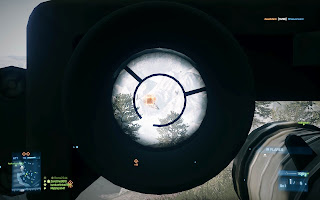
Stinger ready to be fired

There are also anti-air missiles in the Engineer kit: the IGLA for Russians and the Stinger for the US troops. These need a lock-on just like the Javelin and they only lock on to aerial vehicles. The air vehicles then have a chance to defend themselves with IR flares, so it's still not a guaranteed hit.

Support

Support soldiers are armed with a light machine gun and can deal ammo for their team mates. As with the Assault medkits, do deal ammo out too! Light machine guns are pretty effective if used correctly, but horribly ineffective if used incorrectly. A correct way to use a light machine gun is to deploy a bipod for it. If you have selected one as an accessory for your gun, the bipod is deployed automatically when you bring up your sights when you are laying down or close to a suitable obstacle on which to place the bipod.

The bipod makes the gun very stable so it is often quite feasible to just go for a long burst of automatic fire. However, when using a machine gun without a bipod, that's not a good idea. The recoil will throw your aim off and there's a great chance that you only get yourself killed by an enemy five meters away after spraying 50 bullets at him. So go for short bursts and in between correct your aim.

As a Support soldier you will quickly earn the C4 plastic explosives. Later on the Support class will also earn Claymore mines and a 60 mm mortar. The C4 can be used -- you guessed it -- to destroy stuff. You deploy an explosive with the right mouse button and detonate it with the left one. You can remember this from the fact that every other weapon is fired with the left button as well. You can have several explosives deployed at any given time, and when you run out, you can just drop an ammo box and collect new ones. Deploying "too many" C4s (or anti-tank mines or Claymore mines) will, however, make the oldest explosives disappear.

If you are brave, you can destroy enemy tanks with the C4. Just go to the tank, attach an explosive with the right mouse button, preferably back off and then detonate. The same cautions apply as with the Engineer and his repair torch, so you are likely to get noticed and killed, but hey, it's still worth a try especially if the tank in question is busy with shooting at your team mates in the other direction. I have also found the C4 useful as a Rush defender when you can attach the explosives to the MCOMs or right next to them and then easily kill the first one trying to arm a bomb.

The Claymore mines are anti-personnel explosives. Use them to protect the MCOMs and routes that you cannot guard the whole time. Be careful to set the mine so that the direction of the explosion is the direction from which an enemy is likely to approach. I also sometimes disguise the Claymores by dropping an ammo box right on top of it.

You can also destroy enemy explosives with the mortar
The 60 mm mortar is a weapon that can provide indirect fire afar. The basic shells are high explosive (HE), but you can also use them to shoot smoke shells. It's a bit difficult because there's no indicator on the screen on whether you have the HE or the smoke shells selected: you just have to know it. You select the smoke shells with button "2" and the HE shells with "1". They have independent reloading times so you can shoot two shells in a very quick succession before a short loading period. Smoke shells are especially useful for attackers in the Rush mode. Naturally they can be used to cover your own troops but they can also be used to blind the defenders. If an enemy sniper is fortified somewhere so that you cannot kill them with the HE shells, you can often blind them with the smoke shells, which is enough to force them to find another position. The possible problem with the mortar is that as you cannot see the target area directly, you only rely on your team mates spotting the enemies so that you can see them on your minimap that you use for targeting. So this is yet another good reason for you to spot every enemy you see.

Recon

The Recon class is often regarded as the "sniper" class as they get the sniper rifles. This seems like a tempting class for many new players. However, a sniper's worst enemy is often another sniper, and unfortunately for you the truth is that most enemy snipers on the field are much more experienced and better equipped than you. Thus it might not be a good idea for a new player to camp somewhere with a sniper rifle when they could be in the frontline using some other kit.

In addition to the sniper rifles the Recon class also gets some nice gadgets such as the T-UGS. If you wish to use these but killing enemies with sniper rifles doesn't seem to work out, I recommend you to play some Team Deathmatch games as a Recon soldier using some all-kit weapon, such as the UMP-45 submachine gun. You can earn this gun using any other character kit and then use the gun to get some points with the Recon kit.

So, the Recon class gets these gadgets. The first one is the Radio Beacon. This is basically a spawn point for you and your squad. Depending on the map you might spawn next to the beacon or you might spawn into the air with a parachute! In some maps you can take advantage of this to attack the MCOMs by moving your parachute towards one. Using Radio Beacons is a good idea, especially since you have nothing to lose. Or, well, they do beep so they might give your position away, but in general the ability to spawn to a critical point greatly overweights this drawback.

The second gadget is the cryptically named T-UGS. It's short for Tactical Unattended Ground Sensor. It is basically a motion sensor. You deploy it anywhere and it will then spot enemies that come nearby. Again, you might want to put these near MCOMs or somewhere behind you to prevent enemies from sneaking up to you. These do, however, get destroyed pretty easily and the enemy will also seek to do just that.

SOFLAM and its remote controller 
SOFLAM tracking a target
The next gadget is the SOFLAM. It is a sensor that is used to laser designate vehicles. Laser designation causes Javelin rockets and certain other guided weapons to home to the target and also to cause more damage than they would without the laser designation. The nice thing about SOFLAMs is that you don't need to be anywhere near it to use it. You deploy it (left click), exit it (E), move to a safe place and bring up its remote controller again (select it and left click). With the right mouse button you can also change the zoom level of the gadget. It is useful even if there are no enemy vehicles as you still use it to spot enemies. Also you can just forget about the device, it will automatically lock on to targets and help your team on its own (until it gets destroyed).

A view from the MAV
Finally, there's the MAV. It's a small flying spying machine with a motion sensor. You can guide it from a safe location, and if you exit it, it will gently float down to ground (or a roof if that's what was below it). Like the SOFLAM, you can then forget about the gadget and just let it act as a static motion sensor, or you can get back to it later. The MAV operator can also ram the machine against an enemy soldier to kill them! This requires some skill as the gadget is quite tricky to control that precisely, but this can prove useful for, say, killing a well fortified sniper.

General tips & tricks

More on the knife, as promised. The knife does some damage to the enemy if you just swing it at them, but the real way knifes are used is the takedown, which is instantly fatal. You perform a takedown by approaching the enemy from behind and then holding down the knife button when close to them. This wasn't told anywhere clear enough for me so at first I missed a couple of takedown chances when I didn't know I need to hold the button down. When you perform a takedown the game goes out of your control for a couple of seconds to show an animation of you cutting the victim's throat. When performing a takedown you also get the victim's dogtags. Not that there's any value in them in the game, but they are valued as "trophies" outside the game.

Next, the helicopters. I'll be the first one to admit I'm still a bad helicopter pilot. However, I found them easier to control once I changed the default keys so that mouse controls the pitch and yaw and the keyboard controls the roll. That basically allows you to aim with the mouse, as usual.

4x scope on a PKP Pecheneg machine gun
Then about weapon accessories. When you use a weapon you unlock new accessories to it. You may, for example, unlock holographic sights or scopes. Choose your sights wisely: in a tightly packed map a 4x scope is usually too much when the enemy may appear right in front of you. Also, if your weapon is not suited for longer distances, like shotguns or submachine guns, a 4x scope is not that useful and you should instead go for  the holographic or red dot sights. Sights with magnification may also be slightly slower to deploy than the sights without magnification. The sights with the highest degrees of magnification have scope sway. This means that the sights are moving around a bit and it is more difficult to properly acquire a target. You can hold your breath and thus temporarily get rid of the scope sway by holding down the sprint button (left shift by default).

Another thing you should know about the weapons is that many of them, especially assault rifles, have a firing selector. This means that you can choose between single shot fire, burst fire and fully automatic fire. Not every weapon has all of the options available to it, but anyway. The default key for the selector is "V" and you'll see a firing mode indicator at the bottom right corner next to your ammo count: *** means full auto, ** burst fire and * single shot fire. Full auto may be the best in close quarters but single shot has its use with long range shots.

Well, that concludes this post. I hope you learned something. Again, comments and questions both from new and experienced players would be much appreciated. Finally, here are a couple of nice links: The Battlefield Wiki and the BF3Stats.com site for tracking your statistics. Also, the software I used to capture those screenshots is called FRAPS.

sunnuntai 12. helmikuuta 2012

Cities in Motion

People getting in and out of a bus
Cities in Motion is a game where your task is to create the public transportation system of a city. The cities in the basic version of the game are European capital cities such as Helsinki and Berlin, but you can build more yourself, download cities made by other players, or buy them as add-ins.

The game looks pretty and works well on a modern PC. It focuses solely on moving people around so there are no cargo trucks or such, but there's plenty of things to do without them anyway. In the campaign mode you move from city to city, and in each city you must complete a certain amount of tasks. The tasks are usually something like "build a line from place A to place B" and it is then up to you to decide how to implement it. You can have multiple tasks going on at once so you can take all the time you need for completing them. This is good if the task is something like "build a metro line from the north side of the city to the south side of the city" and if it seems like there wouldn't be too many passengers between those places. The correct way to do that, then, would be to start somewhere in the middle and to build a line from, say, the railway station to the mall, and then gradually expand it towards the required end points.

A riot in front of the Vienna City Hall
So basically you create lines by placing stops, assigning them into some order and buying vehicles for the route. The lines are routed automatically from stop to stop. The available modes of transportation are buses, trams, metros, ferries and helicopters. There are trains on the maps as well but you cannot manage them, you just need to take care that the people of the city can get to the railway stations, as they are quite popular.

The people of the cities are an interesting point in the game. Each and every little person walking down the street is an individual. You can click any person and get statistics about him or her: where they live, where they work, where are they coming from and where are they going to. Every person also belongs to some social group, such as students, blue-collar workers or businesspeople. Students need an inexpensive method of transportation from the homes to their colleges, whereas businesspeople are busy and rich and can pay more to quickly get to their workplace or, say, the airport. You can also save these people as "customer profiles" in order to check back on them later to see, for example, if a person using a private car has been converted to a user of the public transportation.

The key to making people flow smoothly is to build a network where the vehicles and lines complement each other. It is not uncommon to see a basically dead bus line to start to flourish when a metro stop is added next to one of its stops. People can and will take connections from one line to another if you just plan the network so that it is worthwhile.

Deadlock
Every now and then there are some small events around the city: a fire, a demonstration, a vehicle breaking down, etc. There's not much you can do about fires or demonstrations: they just cut a road until they are over. Vehicles break down every once in a while, but in order to have them quickly repaired you can keep the wages of the technical personnel up and invest into the upkeep of the vehicles. So in addition to creating lines, you are also in charge of the monetary aspects of your company. That includes setting the ticket prices for each method of transportation. When the prices turn green, they are considered inexpensive, and when they turn red, the people think that they are too high. The amount of how much people are willing to pay depend on the current economical situation of the city. If it's going well the people can pay more, but as the unemployment grows the people cannot afford to pay too much. These are all presented as graphs in the menus of the game.

Elevated metro track, passing above the river and over a bridge
The game also offers many kinds of statistics of the city as colored overlays to the map. You can, for example, see where the blue-collar workers live, where they work, where the shopping centers are, where do the tourists live, which roads are congested and where the traffic is flowing well, etc. You will then want to avoid putting bus or tram lines to the congested roads as it will make those waiting at the stops unhappy if their vehicle is not arriving because it is stuck in the traffic.

There aren't many downsides in the game that I have observed. For me the most obvious one is the lack of zoom levels: you cannot zoom as far away as you would like. Zooming in, on the other hand, works perfectly and reveals the excellent graphics. Unfortunately that is not actually the most usable view for playing the game. But there's always a minimap in the corner so you still know where you are. The other thing is that I'd love to get some aggregate information on the passengers inside a vehicle or waiting at a stop. Currently you can only observe individual citizens, as I already explained. This does become less of a problem once you understand the general mechanics of the game, but still. Many times I have found that 90 percent of the passengers of my ten stop bus line just travel between two or three of the stops, so cutting the extra stops saves you both time and money.
Metro, tram & ferry moving people in Vienna

Cities in Motion is anyway the best game I have played for a while. The game is just 19.99 €/$ on Steam, or 39.99 €/$ with the expansions, which I also recommend. The CiMExchange site offers many mods and cities for download. So far I haven't tried any mods but there are some that I will try later, such as the Ultimate Camera Control mod. Finally, there's even a Cities in Motion wiki with all kinds of information about the game. @Citiesinmotion is also in Twitter.

maanantai 6. helmikuuta 2012

The Humble Bundle for Android

The Humble Bundle is a concept that I've written about several times already. In short, they publish a few cross-platform games and let you pay anything you want for them. The newest addition to the Humble Bundle series is the Humble Bundle for Android which contains four different games that work not only for Android but also for Windows, Linux and Mac! As of writing this post there are still eight days left for you to grab this offer. The games are Anomaly: Warzone Earth, Osmos, Edge and World of Goo.

keskiviikko 14. joulukuuta 2011

Angry Birds

Photo: CC BY 2.0 by Melinda Seckington / Flickr
Angry Birds is a super popular phenomenon that keeps on expanding, so I figured I'd collect some interesting Angry Birds links to this post. For example, the latest news on the subject is that the playground equipment manufacturer Lappset starts making Angry Birds playground equipment.

The London Philharmonic Orchestra has played and recorded the Angry Birds main theme which can be listened to on Spotify. Shane Parker has drawn the birds in a real retro ornithology book fashion. People are crocheting Angry Birds like crazy. There has been an attempt to negotiate peace between the birds and the pigs.

A couple of professional footballers, Lassi Hurskainen and Dan Jackson, created a real life Angry Birds video. That's some accurate kicking! Conan O'Brien has also played a live action version of Angry Birds a couple of times. :)

MauroNewMedia has written a quite extensive analysis on the reasons that Angry Birds has become so successful. This includes, of course, "simple yet engaging interaction concept" but also more complex concepts such as the way the game deals with the user's short-term memory management. The Wall Street Journal's Matt Ridley also analyzed the game a bit and figured that people just like predicting parabolic trajectories. The early Homo Sapiens, for example, basically relied on this exact skill when killing mammoths and other animals by throwing spears and rocks.

Finally, you can play the basic Angry Birds or the Fazer Tyrkisk Peber Volcano special levels in your browser. :) You might also want to follow the Angry Birds on Twitter.

The Humble Indie Bundle #4

I have written about the Humble Indie Bundle before, but now that a new one is out again I figured I should blog about the concept again. The Humble Indie Bundle is a collection of indie games (games from independent developers) sold for whatever price the buyer wants to pay. The games are cross-platform and work on Windows, Mac and Linux. Part (or none, or all -- you decide) of the price you pay goes to charity. Each bundle is are available for only a couple of weeks only and new ones are published irregularly, perhaps four or five times a year. Right now it's the Humble Indie Bundle #4 and there are 13 days left to buy it. This time the default bundle contains five games, but if you pay more than the average buyer you'll also get two more games. The bundle includes such games as Super Meat Boy and Gratuitous Space Battles. Go get your games! :)

tiistai 12. huhtikuuta 2011

The Humble Frozenbyte Bundle

Last December I wrote about The Humble Indie Bundle #2, a collection of indie games for whatever price you chose to pay. Apparently it was a great success as a new humble bundle is already out: The Humble Frozenbyte Bundle. The games are Trine, Shadowgrounds: Survivor, Shadowgrounds, Splot and Jack Claw. I don't know much about any of them but I bought the bundle anyway. All of the games work on Windows, Linux and Mac. You can also donate part or all of the price to charity. As I'm writing this the bundle has been out only for some 2 to 3 hours and has already been bought more than 27000 times with an average purchase of 5.20 USD. :)

keskiviikko 23. maaliskuuta 2011

Battlefield: Bad Company 2 newbie FAQ/tutorial, part 2

Since my first post I've been playing the game some more and thought I'd share a few more points that I forgot or didn't know at the time of writing my previous post.

1. Use your combat knife to cut through obstacles like fences and doors. The knife is used by default by clicking the mouse wheel. It can obviously also be used to kill enemies should you get close to them.

2. Always play until the end of the round, especially if your team is winning. Winning a round earns you some extra points. You can tell the situation by looking above the mini-map at the lower left corner. Above the mini-map are the tickets left for each team. Each ticket corresponds to one respawn. Medics can get them returned by resurrecting dead teammates, and in Rush games new tickets are earned when M-COM stations are destroyed. In Rush games the defenders have unlimited tickets and the attackers a finite number. If the attackers run out of tickets the defending team has won, but if the attackers manage to destroy all the M-COM stations then they will win. In Conquest games both teams start with the same amount of tickets.

3. I have recently gotten into playing as a medic. Their machine guns are nice as you mostly don't need to be afraid of running out of bullets. You can also earn a fair amount of points by throwing first aid kits to teammates that are hurt or are about to get hurt. Do also resurrect your dead teammates when playing as a medic. Get next to their body and hit them with the paddles. You can see your dead teammates in the mini-map as a kind of an EKG symbol. (Finding the body from the map might prove a bit difficult sometimes, though, as the symbol does not pinpoint the actual location too accurately.)

4. The symbols shown in the mini-map change based on the character class you are playing. As a medic you see the EKGs but as an assault soldier you see ammunition symbols when your teammates need you to drop them some ammo boxes. Do help them. Engineers see wrenches when a vehicle needs to be repaired. I don't know if recon specialists see any special symbols, but anyone driving a vehicle will see an arrow if someone wants to get a ride. When you are on foot you can indicate the need for a ride by looking directly at the vehicle driven by your teammate and hitting the Q-key.

5. Don't be afraid of trying out the hardcore multiplayer mode. The main difference is that there's no mini-map. That might not be bad, though: you certainly won't be able to see as many enemies at once, but at the same time the enemies are less likely to see you!

6. Spot those enemies. I said this in the first post already but I cannot stress that enough so I'll just repeat it here again.

7. Finally, watch this video by Pixel Enemy. The title is Battlefield: Bad Company 2 - How Not To Be A Noob:

torstai 3. maaliskuuta 2011

Battlefield: Bad Company 2 newbie FAQ/tutorial, part 1

I've recently been playing the hugely popular online multiplayer game Battlefield: Bad Company 2. I'm late in this train as the game was released a year or so ago already, but better late than never. The game contains a ranking system with 50 ranks and I'm currently at rank 3 or 4 after clocking some 10 hours in the game. I've noticed that there are some great guides to the game, like the ones Brighthub has (must read!), but I haven't seen a good tutorial/FAQ aimed for those of us who are total newbies to the game. This blog post is my attempt to at least partially rectify that lack of guides aimed for newbies. This way I'm also documenting my own process of getting into the game.

Single player vs. multiplayer

So, what should one know about the game? It's got a single player and a multiplayer mode. I played the first few maps of the single player campaign before moving to the multiplayer. I admit I don't know if the progress in single player makes any difference in the options you have available in the multiplayer, but I doubt that. I'll focus on the multiplayer mode exclusively.

The multiplayer mode can have up to 32 players in a single game -- 16 players per team. The game has a few different game modes of which the Conquest and Rush seem to be the most popular.

Conquest

The Conquest mode contains areas of interest that the team must capture and hold to win the round. There are a few areas to be captured at any given time. You capture the area by clearing it from enemies and hanging out in there until it switches sides, which may be about 10 seconds. You get points for capturing the area or assisting in the capture. The color of the area (or actually the color of the square marking the area in your mini map, HUD) tells the side which currently controls it: if the square is red, the area is controlled by the enemy. Blue squares are controlled by your team and white squares are still neutral.

Rush

In the Rush mode one team attacks and another defends crates that are placed in the map. The crates are shown as squares like the areas of the Conquest mode. The attackers aim to blow up the crates by getting to them and holding the E-key until a bomb is armed. This again takes some 10 seconds. Then a sort of warning time follows during which the square of the crate blinks in the HUD and a red light blinks in the building the crate is in. During this time the defenders must try to disable the bomb, again by getting to it and holding the E-key. The crates may also be destroyed by collapsing a building on it, which requires some heavy weaponry such as a mortar strike called in by a Recon specialist, but more on that later.

Character classes

At the beginning of each round you may pick a character class. You can choose between assault, medic, engineer and recon.

Assault is your typical assault rifle -carrying all-around guy who does most of the dirty job in the front line. I don't really like the class because I find the basic assault rifle too inaccurate and not powerful enough, plus the class lacks the neat gadgets the other classes have.

The Engineer class is something I prefer to the Assault class. The basic submachine gun is accurate and I've gotten many kills with it. The trick here is to use the iron sights - brought up by clicking the right mouse button -- and to shoot in short bursts or even single shots. Full auto will just empty your clip in no time while giving away your position, leading in your quick demise. The engineer also starts with the RPG -- rocket propelled grenade launcher -- which is great for eliminating not only tanks but also enemies that are hiding behind some walls. Remember: you don't need to see the enemy to kill them. You can shoot through fences and thin walls and I've already scored many kills that way. The RPG allows you to kill enemies behind thicker walls by bringing the wall down altogether.

The Medic class is somewhat boring in the beginning: it does not start with the medical equipment, you have to earn them. Sure, the PKM machine gun is neat, but I find that it's not too accurate.

I played most of my first hours as a Recon specialist. The Recon specialist is basically a sniper: armed with a sniper rifle, capable of taking out individual enemies from a distance. Sounds cool, but I've found that the maps don't support this too well, as most of the time they are crowded and have several passages, allowing enemies to sneak behind you. The other issue is of course the fact that if you can see the enemy then the enemy can see you. A sniper's worst enemy often seems to be another sniper, and as most of the players have much more experience and better weapons than a newbie sniper, it's not difficult to guess the outcome.

The Recon specialist's first earnable gadget is the motion detection mine. Use them! They are like grenades but instead of exploding they stay in the ground for a short while, alerting your team about enemies that enter their vicinity. You will also be awarded some points if your teammates kill the enemies spotted by those mines.

The second gadget that a Recon specialist earns are the binoculars. These are used to call in mortar strikes. You don't need to be able to see the enemy to call in the strike. To call in a mortar strike you may first locate the enemy by moving the binoculars so that the white dot in the middle turns red. That's not required, though, so you can just target the wall behind which the enemy is hiding. Then hold the left mouse button until the progress bar below the dot fills and the rounds are on their way. The strike is not instant, of course, but it takes a while for the shells to fly into their target. This is, however, a good weapon if the enemy has, say, parked a tank somewhere and is shooting at your troops from a basically stationary position.

About the guns the recon specialist first earns, the Type 88 sniper rifle is pretty good. It is semi-automatic as in opposite to the basic rifle which is a bolt-action one. The difference is that with a semi-automatic rifle you can shoot your magazine empty without ever leaving the scope view, whereas a bolt-action rifle needs to be reloaded after every shot, slowing your rate of fire considerably. The recon specialist also earns some shotguns which may be used if the number of sniper rifles in a team is limited by the server and if you still want to use the binoculars or the motion detection mines.

Spotting enemies

Talking about spotting enemies, that's a really important part of the game. When you see an enemy without the red triangle over his head, you should always hit the Q-key, or the "Socialize button" as it's called. This alerts your team by displaying a red triangle over the enemy's head and in the mini map. Nothing is more frustrating for a sniper than trying to find out targets without any spotting help when obviously a constant firefight is going on in the front line. The front line warriors also appreciate a lot if you spot enemies that are, for example, trying to flank them. I've found out that spotting works best while using the scope of a sniper rifle or the iron sights of a regular gun, but that's not necessary. Again, you get points for spotting enemies if they are killed because you spotted them. So don't try to kill all the enemies by yourself, help yourself and your team by spotting the enemies as often as possible!

Stationary guns

One of the factors that made me change my primary character class from Recon to Engineer was the fact that I noticed that most of my Recon kills were coming from using stationary machine guns, not the sniper rifles. Some maps have heavy machine guns that can be mounted by going next to them and hitting the E-key. When you mount a heavy machine gun you will want to see better, which is why you probably should shoot down as many of the obstacles in front of you as possible. This includes, for example, trees, crates and walls. By creating a large open space in front of you you force the enemies to cross it without much cover, allowing you to nail them better.

Vehicles

Many maps in the game contain vehicles such as tanks and helicopters. Vehicles are entered by going next to them and hitting the E-key. Tanks have a spot for the driver, who also controls the main cannon, and a shooter, who controls the machine gun. The shooter's primary responsibility is then to spot and kill enemy engineers with RPGs. The tanks also have some spots for passengers, if you want a ride.

Helicopters are very nice but difficult to fly. You should practice flying them in an empty, unranked server, as you are most likely to crash the thing on your first few tries, and that's not something you want to do with a crew inside the helicopter counting on you. The pilot also controls the missiles. The gunner's position is much easier to handle. The Gatling guns the attack chopper has are very powerful and can even be used to bring down walls. Helicopter's worst enemies are Engineers with RPGs and heavy machine guns, possibly mounted on tanks. Skilled snipers may also shoot the crew members of the helicopter, which is pretty bad for the helicopter if the shot member was the pilot.

Finally, some maps have little computer stations that can be entered like machine guns but cannot be used to shoot at anything. They are UAV (unmanned aerial vehicle) control stations. UAVs are small, unmanned, easy to fly helicopters. They can be used for reconnaissance and for painting targets for hellfire missiles (which work like Recon specialist's mortar strikes), but I don't have much experience on that.

Other tips

The bullets have a travel time and they are affected by gravity. Gravity means that for targets that are far away you must aim at the top of their head to score a hit. If you shoot at their torso the bullet might drop enough to barely hit their ankles. This is not a concern most of the time but especially snipers should be aware of this. Aiming at the top of the head usually scores a headshot as well, killing the enemy with a single shot. Travel time means that if you are shooting an object that's moving fast, you should aim a little ahead of them. You will know that you have hit your target once an "X" appears at the center of the screen (which is where you always shoot). That happens with all guns, including the stationary machine guns and sniper rifles.

Experienced enough medics can drop first aid kits into the field. The kits are marked by "+" signs in the mini map. They won't heal you instantly but they will accelerate your regeneration when you hang out next to them. Healing teammates like this also earns the medic some points. Similarly, assault soldiers can drop ammo boxes. If you manage to stay alive for long enough to run out of ammo, you should find these boxes. The ammo is grabbed automatically by going next to the box.

Something else that can be grabbed from the field are the kits of deceased soldiers. A kit contains all the weapons and gadgets the soldier was carrying and replaces the kit you were carrying at the moment. This is a nice way of getting a taste of some more advanced technology. A kit stays in the ground for a short while after their owner has been killed so if you want to have one you should make your decision quickly. You will know you can pick up a kit with the E-key when a message in the middle of the screen says so. The symbol next to the message tells you what kind of a kit it is: a circle with a crosshair in it means a recon kit, a "+" means a medic kit, etc.

Finally, here's a neat site that displays statistics about your soldier: Stats Verse. You don't even need to register to get a huge bunch of information about your progress. The official site also has statistics, but they are always more outdated than Stats Verse's where you can even force an update of your stats. The official site might be a bit clearer, though, and it has got textual descriptions of all the guns and gadgets.

So, I believe here are the most important things I've learned about the game so far in my short career. Did I miss anything? What were your biggest aha-experiences as a newbie player? Any other tips or tricks for the newbies? Please discuss!

Edit/Add: See Part 2 for some more tips!

lauantai 15. tammikuuta 2011

Death Rally

Great news! I have finally found the perfect action game for netbooks: the 1996 hit game Death Rally! It is actually made by Remedy Entertainment, the same company that created Alan Wake — the game that the Time magazine selected as the best game of 2010.

In case you haven't heard of Death Rally it's a racing game where machine guns are an integral part of your car. You drive through races and try to climb up the ladder of competitors. You can also buy new cars and certain new parts and power ups. Every now and then a shady sponsor will offer you an extra task, such as destroying another player's car in the next race...

Death Rally has been ported to work on modern computer hardware and software. When playing on an Asus EeePC 1101HA (or any other netbook with a lousy graphics chip) you only need to give the game the -nogl parameter to make it play smoothly:

Usually the problem with playing old games on a modern computer is that the game refuses to run because it does not recognize the software that is being used. Probably the support for some old features has even been intentionally dropped from the DirectX drivers, for example. The problem with playing new games on a netbook is that netbooks often just don't have the oomph to play games. Even Droplitz, for example, a nice and simple puzzle game in the spirit of Pipe Dream et al. with a Bejeweled-kind of a twist is just unplayable on an EeePC 1101HA.

The great thing about Death Rally is that it's still exactly the same game as 15 years ago, the only difference with the previous release seems to be the fact that it runs on current computers. :) I must warn you though: by today's standards the game is not that pretty. However, the playability and enjoyability make that up more than well. There will even be an iPad/iPhone version soon so start practicing on the Windows version already!

keskiviikko 19. toukokuuta 2010

Portal

For a few more days, until May 24th, the mega-popular game of Portal is free on Steam. I downloaded it and tried it on my Asus EeePC 1101HA and found out, less surprisingly, that it is entirely unplayable with this hardware. I kind of guessed that when the Steam launcher displayed a message that the Valve database has never even heard of the Intel Graphics Media Accelerator 500 graphics card. The game loads for ages, the sounds are jerky and the frame rate is about 1 frame per second, even with the lowest possible quality settings. Oh well, at least it has been tested now. However, I have no doubts that with proper hardware Portal is a great game anyway.

lauantai 13. helmikuuta 2010

Command & Conquer

Netbooks are not known for their ability to run new games but luckily there are good, a bit older games that may still be entirely playable and enjoyable. I just learned that Electronic Arts has released Command & Conquer: Tiberian Dawn (1995), Command & Conquer: Red Alert (1996) and Command & Conquer: Tiberian Sun (2000) as freeware games -- Tiberian Sun was released yesterday. They can be downloaded from CommandAndConquer.com.

Edit/Add: Here's a Spotify link to Frank Klepacki's music. Klepacki is the man who made the Command & Conquer soundtracks!

maanantai 1. helmikuuta 2010

Tales of Monkey Island

In my previous post I made a note that while the Secret of Monkey Island: Special Edition does run on the Asus EeePC 1101HA, you still have to fall back to the antiquated graphics at times because the graphics chip, Intel GMA500, just can't take it all. On this background I felt a little uncomfortable buying the Tales of Monkey Island because that one is fully in 3D, while the Secret of Monkey Island is completely in 2D. So I thought that if the computer cannot run a 2D game smoothly, could it run a 3D game at all? If nothing else then I could've played the Tales on my desktop computer anyway.

Luckily, I was worried in vain. Sure, you need to tune the game's graphical quality settings way down. The scale is from 1 to 10 and the game becomes playable at quality level 3 or 4. Tuning the resolution down to 800x600 is not a bad idea either, but after that the game works perfectly! The story and humor are still guaranteed Monkey Island quality and the voice actors as good as ever. I recommend.

sunnuntai 31. tammikuuta 2010

The Secret of Monkey Island: Special Edition

In my review of the Asus EeePC 1101HA I noted that it had a pretty lousy Windows Experience Index score at the gaming graphics section. This, of course, does not stop me from trying out some games anyway.

First on the line was The Secret of Monkey Island: Special Edition which I had bought from Steam but which refused to work on my desktop computer because of the Athlon XP 3000+ processor. That's actually the first game I have ever run into to mean business with the system requirements, "Intel Pentium 4 3GHz or AMD Athlon 64 3000+". Odd, since it's just a point and click adventure, but anyway.

So, the Special Edition is a remake of the original game that was published in 1990. The game features one Guybrush Threepwood, a young wannabe pirate, trying to become a real pirate. The remake contains exactly the same plot and everything as the original game, but all the lines are spoken out loud and the graphics have been modernized. You can, in fact, toggle between the old and new graphics on the fly with a single key press. This feature does come in handy when playing with the netbook, because while it can run the game well in many of the scenes, it becomes unplayable if there are any fire of water shown on the screen. The game is well worth the money anyway and should give you some good laughs. :)